Audio Plugin Developer

Tools for musicians
who think in systems.

I design focused music plugins, MIDI devices, and creative utilities for electronic producers. Compact interfaces. Precise behavior. Sounds that move the way you intend.

4
Released Tools
VST3 / M4L
Formats
Min-first
Design Approach

Instruments & Utilities

Each tool starts from a narrow problem: a rhythm that needs more motion, a melody that needs variation, a space that feels too flat.

All Projects →

Get the Tools

All plugins are free for personal and commercial use. Download for your platform.

View All Downloads

Developer of focused
audio tools.

I am an independent developer working at the intersection of music software, workflow design, and generative systems. My projects cover MIDI generation, modulation, spatial effects, and performance tools for electronic music production.

I am especially interested in musical behavior: how a plugin responds to the producer's intention, how small controls create large-sounding results, and how an interface can stay out of the way while still giving precise command.

Most of my work begins with a problem I notice in my own sessions — a tool that is almost right, a control that doesn't exist, a process that takes ten steps when it should take two.

Work Together

Focus Areas

MIDI GenerationModulation Design Generative SystemsSpatial FX Plugin UI DesignLive Performance

Platforms & Formats

VST3AU Max for LiveStandalone Ableton LiveReaper

Current Status

Open to CollabsCustom DevPrototype Work

Writing

Short pieces on design decisions, plugin behavior, and workflow problems. Practical, not theoretical.

Designing MIDI tools for controlled variation
How probability and phrase memory keep output musical
Mar 2026
Why plugin interfaces should stay visually quiet
Density, hierarchy, and decision fatigue in audio software
Feb 2026
Modulation that feels musical
The difference between complex motion and useful motion
Jan 2026
Small tools, real workflow
Why compact utilities often outperform all-in-one instruments
Dec 2025
Max for Live as a prototyping environment
Rapid iteration for MIDI tools and control surfaces
Nov 2025
← Back to Notes

Designing MIDI tools for controlled variation

Most MIDI generators fail in the same way: they produce output that is technically varied but musically incoherent. Notes appear in unexpected ranges, rhythms drift outside the groove, phrases lose the character of the original idea. The tool feels powerful in demo mode and useless in a real session.

The core problem

Randomness and variation are not the same thing. Randomness distributes values without regard for context. Variation means changing something in a way that still feels like it belongs to the same musical statement. A melody can vary across four bars and still feel like one phrase. A MIDI generator that does not understand this will produce fragments, not music.

Probability with memory

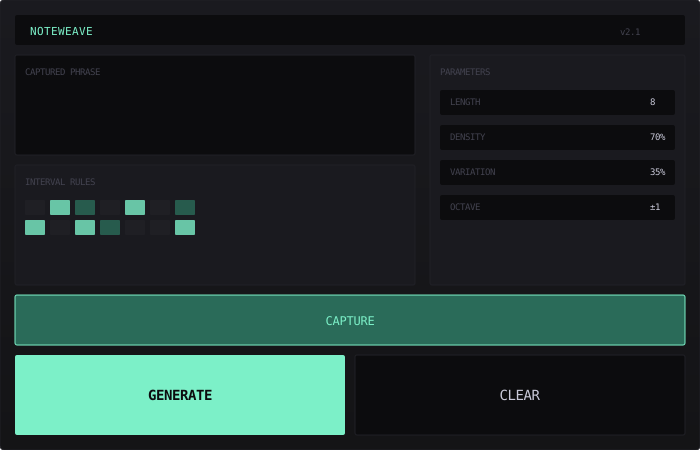
The approach I use in NoteWeave is to give the generator memory of what it has recently played, and use that memory to bias probability. If a certain pitch class was emphasized in the last two bars, its probability increases slightly for the next phrase. If a rhythmic density was low, the system resists jumping to a busy pattern without a transition step. This creates a sense of organic continuity rather than random selection.

Rule sets over raw probability

Pure probability is hard to control. What works better is defining interval rules — which steps from the current pitch are allowed, preferred, or avoided — and using probability only to choose among the permitted options. The result is variation that stays inside a musical behavior: the same scale, the same emotional register, the same rhythmic feel, but never exactly the same notes.

This is a small shift in architecture but it changes the character of everything the generator produces. Instead of random notes filtered after the fact, you get intentional motion constrained by musical logic. The producer's job becomes shaping the rules, not correcting the output.

← Back to Notes

Why plugin interfaces should stay visually quiet

There is a tendency in audio plugin design to fill every available pixel. Knobs, meters, labels, color gradients, waveform displays, modulation indicators — the reasoning is that a dense interface signals depth and professionalism. In practice it usually signals the opposite: a tool that does not know what matters.

Decision fatigue is real

Every visual element that is not directly connected to the current task is a small cognitive cost. In a session where a producer makes hundreds of decisions per hour, these costs accumulate. A busy plugin interface is not just aesthetically unpleasant — it slows down the workflow at exactly the moment when speed matters most.

Hierarchy before decoration

The question I ask when designing a plugin UI is: what is the one thing the user needs to find immediately after opening this? That element should be visually dominant, positioned centrally or in the upper-left reading zone, and surrounded by space. Everything secondary should recede — lower contrast, smaller size, further from the primary control area.

Visual quietness is not the same as emptiness. A well-designed minimal interface has strong hierarchy, clear feedback on state changes, and deliberate use of the one or two moments where contrast draws attention. The goal is that every visual decision supports a musical decision, not the other way around.

← Back to Notes

Modulation that feels musical

Not all movement in a mix is musical. An LFO applied to a filter cutoff produces motion, but whether that motion feels good depends entirely on its relationship to the tempo, the phrase length, and the character of the sound. Modulation that ignores these relationships tends to feel restless and distracting rather than alive.

Tempo and phrase sync matter more than rate

The most natural-sounding modulation is synchronized — not necessarily to the beat, but to some subdivision or multiple of it. When a modulation cycle completes at a phrase boundary, the ear registers it as intention. When it completes at a random moment, the ear registers it as noise. This is why tempo-synced LFOs became standard, and why free-running modulation is best reserved for deliberate texture work.

Shape determines character

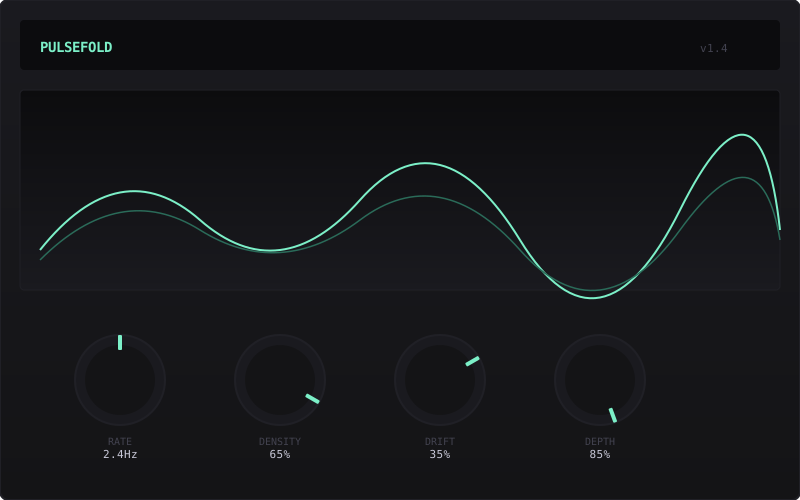
A sine wave, a triangle, and an exponential curve all cover the same value range, but they produce completely different musical effects. The sine is neutral and smooth. The triangle is mechanical. The exponential creates tension and release. In PulseFold, the focus is on shapes that have asymmetry — a slower rise and faster fall, or a flat plateau followed by a sharp return — because these shapes mirror the natural envelope of acoustic events and feel more organic inside a mix.

The takeaway is that musical modulation is not about applying more movement. It is about applying the right shape at the right rate in the right relationship to what surrounds it.

← Back to Notes

Small tools, real workflow

The market logic of audio software pushes toward consolidation. Every major plugin company eventually releases an "all-in-one" instrument or effect suite. The promise is fewer windows, fewer purchases, fewer decisions. The reality is that all-in-one tools tend to do many things adequately and nothing exceptionally.

The case for narrow tools

A tool that does one thing well can be understood in thirty seconds. Its interface is small. Its behavior is predictable. When something goes wrong, you know immediately where to look. When it works, it works completely — there is no hidden mode or secondary panel that you never quite mastered.

In my own production sessions, the tools I reach for most often are the smallest ones. A pitch quantizer with two controls. A MIDI delay with one knob. A limiter with no metering. These are not impressive tools, but they are always right because their scope is exactly right.

What this means for development

When I start a new tool, the first constraint I set is the maximum number of parameters. Usually it is between four and eight. Everything that does not fit that constraint gets cut or moved into an advanced panel that most users will never open. This is not minimalism as aesthetic — it is minimalism as respect for the user's attention and time.

← Back to Notes

Max for Live as a prototyping environment

Max for Live occupies an unusual position in the plugin development landscape. It is simultaneously a production-ready platform used by working musicians and a rapid prototyping environment where ideas can be tested in minutes. I use it primarily in the second role, and it has changed how I approach plugin development in general.

From concept to sound in one session

The feedback loop in M4L is extremely short. You can wire a MIDI generator, route it to an instrument, and hear the result before the idea has fully formed. This immediacy is valuable not just for speed, but for honesty — you hear whether an idea is actually useful, not just whether it sounds interesting in the abstract. Many ideas that seemed promising as concepts turned out to produce nothing valuable when I heard them in a real session.

Limitations are useful constraints

M4L has real limitations: performance overhead on complex patches, restricted access to audio internals, the requirement to run inside Ableton Live. These limitations are worth knowing because they force clarity. If a concept cannot be made useful within these constraints, it probably has a design problem that would show up in any environment. The constraints of M4L act as a useful early filter before committing to a full VST build.

Several of my current tools started as M4L prototypes and were later rebuilt as standalone VST3 plugins when the behavior was stable enough to justify the work. The M4L version still exists as a reference and as a tool for Live-specific workflows.

Let's build something
focused.

Available for selected collaborations, prototype development, and custom plugin work. If you have a narrow, well-defined problem — that is the kind I am most interested in.

Email
hello@livetrum.top
Location
Moscow, RU — Available Remote
Response time
Usually within 2 business days
Focus
Music plugins · MIDI tools · Prototype systems

No newsletters, no spam. Just a direct reply.

← Back to Home

Instruments & Utilities

Focused tools for electronic music production. Each one built around a single workflow problem.

Modulation · VST3 / AU

Last updated: March 2026 · v1.4

PulseFold

Rhythmic modulation plugin for evolving, pulse-based movement. Designed for producers who want automation that feels musical, not mechanical.

Generates modulation curves with controlled density drift and subtle asymmetry. Works on volume, filter, pitch, or any automation target. Minimal CPU footprint, no presets required to get something useful.

C++ / JUCEVST3AUmacOS / Win

MIDI Generation · M4L / Standalone

Last updated: February 2026 · v2.1

NoteWeave

MIDI generator for phrase variation, repetition control, and interval-based rule sets. Turns a simple idea into multiple usable versions without losing musical character.

Built around timing offsets, note probability, and phrase memory. Output stays within a defined musical behavior — controlled variation rather than random noise. Useful for melodic sketching and generative basslines.

Max 8M4LAbleton Live 11+

Spatial FX · VST3 / AU

Last updated: January 2026 · v1.1

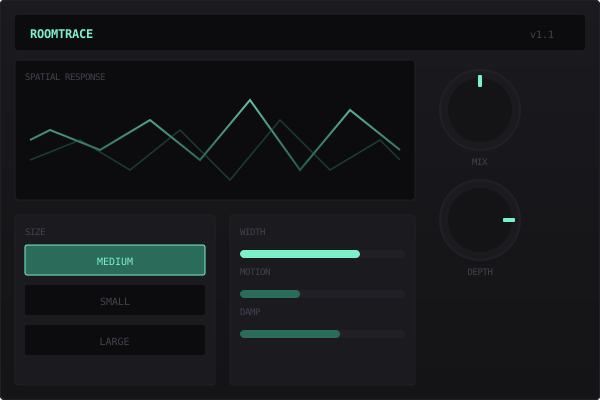
RoomTrace

Compact spatial effect focused on depth, width, and gentle motion. Adds dimension without washing the mix or burying transients.

Short reflections, filtered tails, and controlled stereo movement. Works well on synth plucks, percussion, and background textures. Designed to sit quietly behind the sound rather than announce itself.

C++ / JUCEVST3AUmacOS / Win

Live Performance · M4L

Last updated: December 2025 · v1.0

GridLatch

MIDI capture and loop utility for live performance. Hold, reshape, and reuse gestures while staying in time with the session.

Records note input into short synchronized phrases. Freeze, retrigger, and shift patterns on the fly. Useful for building transitions, controlled tension, and repetition in live electronic sets.

Max 8M4LAbleton Live 11+